Showing posts with label Certified Prep. Show all posts

Friday, 4 May 2018

CentOS System Administrator Exam Video Course DVD


Duration : 9 H 17 M
26 Video Lessons

1. Introduction
2. What Makes CentOS Unique
3. Manipulating Text I O
4. Access Remote Systems
5. Archiving, and Compressing and Chmod'ing, Oh My!
6. Manipulating Files, Directories, and Links
7. How to Read the Manual, CentOS Style
8. Reboots & Runlevels
9. Renicing and Killing Rogue Processes
10. Network Services and Their Log Files
11. Partitions & Logical Volumes
12. Filesystems & Mounting Them
13. Auto-mounting Local, Network, and Encrypted Filesystems
14. Chmod'ing, Chown'ing, and Chgrp'ing, Oh My
15. Special Permissions - SetUID, SetGID, and Sticky Bits
16. Managing ACL's
17. Local Users & Groups
18. Configuring the Network
19. Kickstart Your Install
20. Hosting Virtual Machines
21. Package Management
22. Setting up Web & FTP Services
23. Cron & Time Services
24. Configuring the System Firewall
25. SELinux - What Is It
26. SELinux - Configuration and Troubleshooting

Juniper JNCIA-Junos JN0-102 Exam Video Course DVD


Duration : 4 H 55 M
27 Video Lessons

01 Course Introduction.
02 Networking Fundementals Device Basics.
03 Networking Fundementals Interface Fundamentals.
04 Networking Fundementals IPv4 Fundamentals.
05 Networking Fundamentals IPv6 Fundmanetals.
06 JUNOS Fundamentals Device Portfolio and Software Architecture.
07 JUNOS Fundamentals Processing in JUNOS.
08 JUNOS UI CLI Fundamentals.
09 JUNOS UI Configuration Methods.
10 JUNOS UI Web UI.
11 JUNOS Configuration Points Starting Point.
12 JUNOS Configuration Points Attaching to Network Part 1.
13 JUNOS Configuration Points Attaching to Network Part 2.
14 JUNOS Configuration Points Attaching to Network Part 3.
15 JUNOS Configuration Points Establishing Connectivity.
16 Operations and Maintenance Normal Ops.
17 Operations and Maintenance Update Ops.
18 Operations and Maintenance Routing Fundementals Part 1.
19 Operations and Maintenance Routing Fundementals Part 2.
20 Operations and Maintenance Routing Fundementals Part 3.
21 Operations and Maintenance Routing Configuration Part 1.
22 Operations and Maintenance Routing Configuration Part 2.
23 Routing Policy and Firewall Filters Pouting Policy Concepts.
24 Routing Policy and Firewall Filters Routing Policy Configuration.
25 Routing Policy and Firewall Filters Firewall Filter Conecpts.
26 Routing Policy and Firewall Filters Firewall Filter Configuration.
27 Class of Service Concepts.

NetApp Certified Storage Associate NCSA NS0-145 Exam Video Course DVD


Course Duration : 7 H 9 M
48 Video Lessons

01 - NCSA Course Intro
02 - Introduction to Data Storage
03 - DAS vs. NAS vs. SAN
04 - Exciting New Storage Technologies
05 - Server Virtualization
06 - Data Networks Fundamentals
07 - Cloud Fundamentals
08 - Scared of the Cloud
09 - Introducing Flash Storage
10 - Flash Storage Components and Performance
11 - Solid State Technologies
12 - Flash Endurance
13 - Major Industry Trends Per NetApp
14 - OnCommand Management Software
15 - Clustered Data ONTAP
16 - Data ONTAP 7-Mode
17 - NetApp Hardware Basics
18 - FAS2500
19 - FAS - Up Close and Personal
20 - Other NetApp Portfolio Products
21 - Connecting with System Manager
22 - Using the CLI
23 - Creating Aggregates
24 - Flash Pools
25 - Creating FlexVols
26 - Creating Qtrees
27 - Calculating Usable Disk Space
28 - Creating and Managing SnapShot Copies
29 - Network Administration
30 - Creating LUNs
31 - Using SnapDrive
32 - NFS Exports and CIFS Shares
33 - Using BranchCache
34 - Using Quotas
35 - RBAC
36 - Storage System Maintenance
37 - Storage Space Management
38 - Clustered Data ONTAP Concepts
39 - Clustered Data ONTAP User Interfaces
40 - Clustered Volumes and Namespaces
41 - Clustered File Access
42 - Clustered Load Balancing
43 - SAN Infrastructure
44 - FC Connectivity
45 - The NCSA Exam
46 - Sailing Past the NCSA Exam
47 - The Great NCSA Exam Bonus.mp4  

Microsoft Visio 2013 Video Course DVD


Duration : 4 H 50 M
19 Video Lessons


01 - Getting Started.
02 - Workspace Quick Tour
03 - The Ribbon
04 - Themes, Variants, and Quick Styles
05 - Templates and Stencils
06 - Shapes
07 - Planning a New Diagram
08 - Creating Flowcharts
09 - Creating Organization Charts
10 - Creating Timelines
11 - Creating Network and Data Center Diagrams
12 - Creating Rack Diagrams
13 - Creating IT Asset Management Diagrams
14 - Creating Website Diagrams
15 - Creating and Validating BPMN Diagrams
16 - Creating Brainstorming Diagrams
17 - Creating Value Stream Mapping Diagrams
18 - Visualizing Data
19 - Printing, Sharing and Publishing

Microsoft Office 365 Identities and Requirements Exam 70-346 Video Course DVD


Duration : 3 H 22 M
47 Video Lessons

01 - Introduction to Office 365
02 - Behind the Scenes of Office 365
03 - Planning for Your Office 365 Tenant
04 - Provisioning Your Tenant
05 - Completing the Provisioning of a New Office 365 Tenant
06 - Touring your New Office 365 Tenant
07 - Tasks and Steps in the Pilot Phase of Office 365 Provisioning
08 - Troubleshooting Client Connectivity Issues
09 - Adding and Managing Users
10 - Introduction to Office 365 Groups
11 - Introduction to Windows Azure for Active Directory PowerShell Module
12 - Using Windows Azure AD Console to Manage O365 Users
13 - Managing Office 365 Licenses using PowerShell
14 - Managing Security Groups for Office 365 using PowerShell
15 - Understanding and Managing Administrator Roles
16 - Managing Passwords and Password Policies in Office 365
17 - Understanding, Installing, and Managing Information Rights Management
18 - Integrating IRM with Exchange Online
19 - Integrating IRM with SharePoint Online
20 - Integrating IRM with Microsoft Office
21 - Configuring DNS Records for Office 365 Domains
22 - Creating Custom Domains in Office 365
23 - Managing DNS Records with Office 365 Services
24 - Introduction to DirSync for Office 365
25 - DirSync Installation Requirements
26 - Preparing your Environment for DirSync
27 - Installing and Configuring DirSync
28 - Using Filtering with DirSync19.9 MB
29 - Initiating and Managing DirSync Synchronization
30 - Managing and Monitoring DirSync
31 - AD FS Introduction
32 - Planning for the Deployment of AD FS
33 - Preparing and Installing AD FS
34 - Using the AD FS Configuration Wizard
35 - Converting Domains to and from Federated Domains.mp4
36 - AD FS Proxy Deployment
37 - Introduction to Office 365 Monitoring and Troubleshooting Tools
38 - Do It Yourself (DIY) Troubleshooter Tool
39 - Service Requests Tool15.1 MB
40 - Remote Connectivity Analyzer (RCA) Tool
41 - Microsoft Connectivity Analyzer (MCA) Tool
42 - Microsoft Online Services Diagnostics and Logging (MOSDAL) Toolkit
43 - Exchange Online Message Trace Tools
44 - Auditing Reporting Tools
45 - Mail, Protection, and Data Loss Prevention (DLP) Reporting Tools
46 - Rights Management Service (RMS) Admin Tools
47 - Miscellaneous Admin Tools

Border Gateway Protocol (BGP) Video Course DVD


Duration : 9.25  Hours
79 Video Lessons

1.Introduction to Border Gateway Protocol (BGP)
2.Learning objectives
3.1.1 Basic Concepts
4.1.2 Autonomous Systems
5.Lesson 1 Summary
6.Learning objectives
7.2.1 Basic elements for establishing a simple BGP session between two peers
8.2.2 Understanding ôshowö commands and BGP session states
9.Lesson 2 Summary
10.Learning objectives
11.3.1 Understanding a BGP session between peers in the same AS are discussed
12.3.2 Using a topology with multiple routers within the same AS
13.Learning objectives
14.4.1 Using multihop EBGP
15.4.2 Configuring Multihop EBGP
16.Lesson 4 Summary
17.Learning objectives
18.5.1 Understanding methods for specifying prefixes to be advertised over a BGP session
19.5.2 The routing information databases (RIBs) used by BGP
20.Lesson 5 Summary
21.Learning objectives
22.6.1 Methods for advertising aggregated prefixes
23.6.2 Route Aggregation
24.Lesson 6 Summary
25.Learning objectives
26.7.1 BGP Attributes
27.7.2 The Decision
28.Lesson 7 Summary
29.Learning objectives
30.8.1 Using Prefix filters
31.8.2 Using Route filters
32.Learning objectives
33.9.1 Using AS_PATH filters and their application
34.Lesson 9.2- Configuring AS_PATH filters
35.Lesson 9 Summary
36.Learning objectives
37.10.1 Understanding Route Maps as a primary tool for specifying route policies and manipulating BGP path attributes
38.10.2 Understanding the basic building blocks of route maps
40.Learning objectives
41.11.1 Using the LOCAL-PREF attribute
42.11.2 Configuring LOCAL-PREF
44.Learning objectives
45.12.1 Using the MED attribute
46.12.2 Configuring the MED attribute
48.Learning objectives
49.13.1 Understanding AS_PATH prepending
50.13.2 Configuring an AS_PATH prepending policy
52.Learning objectives
53.14.1 Understanding basic scaling tools
55.Learning objectives
56.15.1 Using BGP session resets destabilizing BGP and the BGP route refresh message
58.Learning objectives
59.16.2 Understanding configuration of policies
60.Learning objectives
61.17.1 Using peer groups, configuration, and the problem with peer groups
62.17.2 Session templates
63.17.3 Policy templates
65.Learning objectives
66.18.1 Understanding Private AS Numbers
67.18.2 Filtering Private AS Numbers
69.Learning objectives
70.19.1 Introducing route reflectors
71.19.2 Configuring a basic route reflection group cluster
72.Learning objectives
73.20.1 Introducing confederations as another tool for scaling IBGP topologies
74.20.2 Configuring a simple confederation
76.Learning objectives
77.21.1 Introducing confederations as another tool for scaling IBGP topologies
78.21.2 Configuring a simple confederation
79.22.1- Introduction to M-BGP

Thursday, 3 May 2018

CCNP Data Center DCUFT 642-980 Exam Preparation Video Course DVD


Duration : 4 H 43 M
22 Video Lessons
Project Files : NO

01 - Course Introduction
02 - CLI T-shooting Tools
03 - HANDS ON - SPAN
04 - Data Center Network Manager (DCNM
05 - HANDS ON - DCNM
06 - Troubleshooting VLANs and PVLANs
07 - Troubleshooting Port Channels and vPCs
08 - Troubleshooting FabricPath
09 - Troubleshooting OTV
10 - Troubleshooting Fibre Channel Interfaces
11 - Troubleshooting SAN Port Channels
12 - Troubleshooting VSANs
13 - Troubleshooting Fibre Channel Domain
14 - Troubleshooting Fibre Channel Name Services
15 - Troubleshooting Fibre Channel Zoning
16 - Troubleshooting Cisco Fabric Services
17 - Troubleshooting NPV Mode
18 - Troubleshooting FCoE
19 - Troubleshooting DCBX
20 - Troubleshooting the Nexus 7000
21 - Troubleshooting the Nexus 2000
22 - Troubleshooting the MDS

CCNP Data Center DCUCI 642-999 Video Course DVD


Duration : 6 H 35 M
Project Files : NO

01 - Course Introduction
02 - Installing the C-Series
03 - Installing the UCS Platform Emulator
04 - RBAC in the UCS
05 - Upgrading the B Series Firmware
06 - UCSM Backup and Restore
07 - Logging and Monitoring in UCS
08 - Fabric Interconnect Redundancy
09 - B-Series Physical Connectivity
10 - Installing B-Series Hardware
11 - B-Series LANs
12 - B-Series SANs
13 - Configuring the UCS Cluster
14 - Configuring the LAN
15 - Configuring the SAN
16 - Configuring Resource Pools
17 - Creating Service Profiles
18 - Service Profile Templates
19 - Integrating the C-Series
20 - VM-FEX Universal Pass-Through

Sunday, 26 November 2017

Learning TCP / IP Video Course DVD


Duration : 7.25 hours
Example files : none 
Video format : MP4 
Video : AVC, 1280x720, 16: 9, 30.000 fps, ~ 1359 Kbps 
Audio : AAC, 48.0 KHz, ~ 96.0 Kbps, 2 channels

Contents:

What You Will Learn 
Using TCP / IP For Communication 
PPP / Slip / PPPoe 
ARP Spoofing 
ICMP Message Types 
TCP Handshake 
Streaming Audio And Video 
RTP Control Protocol 
POP3 And IMAP 
Intrusion Detection 
Searching For Wireless Networks 
IPv6 Vs . IPv4 
01. Introduction 
0101 What You Should Expect From This Video 
0102 What You Should Know 
0103 What You Will Learn 
02. TCP / IP Fundamentals 
0201 History Of TCP / IP 
0202 Using TCP / IP For Communication 
0203 OSI Model 
0204 TCP / IP Model 
0205 Capturing Packets
0206 Using Wireshark 
0207 IETF 
0208 Protocols 
0209 Networking Utilities 
03. Connection Protocols 
0301 Ethernet 
0302 Layer 2 Addresses (Mac) 
0303 PPP / Slip / PPPoe 
0304 WAN Protocols - Sonet, ATM And Frame Relay 
0305 VLANs And 802.1Q 
04. Internet Protocol ) 
0401 Purposes Of The Network Layer 
0402 IP Headers 
0403 IP Addresses And Subnets 
0404 Routing 
0405 BGP 
0406 RIP 
0407 OSPF 
0408 ARP 
0409 ARP Spoofing 
0410 RARP 
0411 Internet Registries 
0412 Autoconfiguration - BootP And DHCP 
0413 IP Configuration 
0414 IP Fragmentation
05. ICMP 
0501 Uses Of ICMP 
0502 ICMP Message Types 
0503 Ping 
0504 Error Messages And Handling 
0505 ICMP Attacks 
06. TCP 
0601 Purports Of The Transport Layer 
0602 TCP Headers 
0603 TCP Handshake 
0604 Acknowledgments 
0605 Sliding Windows 
0606 Session Teardown 
0607 TCP States 
0608 Port Behavior 
07. UDP 
0701 Uses Of UDP 
0702 Flags / Headers 
0703 Streaming Audio And Video 
08. Session Layer 
0801 Purposes Of The Session Layer 
0802 SSL / TLS 
0803 SSH 
0804 RTP Control Protocol 
0805 RPC 
09. Application Layer
0901 Purposes Of The Application Layer 
0902 HTTP 
0903 Telnet 
0904 FTP 
0905 SMTP 
0906 POP3 And IMAP 
0907 Windows File Sharing - SMB And CIFS 
0908 DNS Basics 
0909 DNS Protocol 
10. Applications Of Network Analysis 
1001 Firewalls 
1002 Stateful - Determining State 
1003 Stateless - Access Control Lists 
1004 Application Layer Firewalls 
1005 Intrusion Detection 
1006 Spoofing Traffic 
1007 Malicious Traffic 
1008 Building Packets - PacketH 
1009 Building Packets - HPing 
11. Wireless 
1101 Wireless Fundamentals 
1102 Searching For Wireless Networks
1103 Examining Wireless Packets 
1104 Protecting Wireless With WEP 
1105 Protecting Wireless With WPA 
12. IPv6 
1201 Why IPv6 
1202 IPv6 Vs. IPv4 
1203 Using TCP With IPv6 
1204 Using ICMPv6 
13. Wrapping Up 
1301 Next Steps 
1302 About The Author

Database Fundamentals MTA Exam 98-364 Video Course DVD


Duration : 7:00 Hours
Example files : not available 
Video format : MP4 
Video : AVC, 1280x720, 16: 9, 15fps, 500kbps 
Audio : AAC, 22.05kHz, 64kbps, mono


Content :

1. Welcome to Database Fundamentals (9 min) 
2. Getting Started with Databases (15 min) 
3. The Relational Database (19 min) 
4. The SQL Language (26 min) 
5. Lab: Creating a Database (7 min) 
6 Creating Tables (24 min) 
7. Lab: Working with Tables (16 min) 
8. Writing Basic Queries (23 min) 
9. Enhancing Queries with Conditions (23 min) 
10. Modifying Data with Queries
11. Lab : Working with SQL (25 min) 
12. Normalization (16 min) 
13. Keys & Constraints (21 min) 
14. Indexes (14 min) 
15. Writing Advanced Queries (18 min) 
16. Lab: Designing a Database (12 min ) 
17. Creating Views (11 min)
18. Creating Stored Procedures (17 min) 
19. Creating Functions (18 min) 
20. Lab: Working with Database Objects (15 min) 
21. Security (14 min) 
22. Backup & Recovery (16 min) 
23. Ongoing Maintenance ( 15 min) 
24. Lab: Administering a Database (12 min)

Microsoft System Center 2012 R2 Private Cloud 70-247 Video Course DVD


Duration : 5:00
Example files : not available 
Video format : MP4 
Video : AVC, 1280x720, 16: 9, 15fps, 498kbps 
Audio : AAC, 22.05kHz, 64kbps, stereo

Content

1. Welcome! (2 min) 
2. System Center 2012 R2 Overview (13 min) 
3. High Availability and Disaster Recovery (15 min) 
4. Hardware Requirements (10 min) 
5. Software Prerequisites (12 min) 
6. Creating a Home Lab (3 min) 
7. Installing Virtual Machine Manager (10 min) 
8. Installing the App Controller (9 min) 
9. Installing Orchestrator (11 min) 
10. Installing Operations Manager (14 min) 
11. Installing Data Protection Manager (12 min) 
12 Installing the Configuration Manager (13 min) 
13. Installing the Service Manager (6 min) 
14. Installing the Service Manager (4 min) 
15. Installing the Service Manager - Data Warehouse (10 min)
16. Upgrading System Center 2012 R2 Components 
17. DPM Storage Pools and Secondary Servers (3 min) 
18. Configuring Data Protection Groups (4 min) 
19. Working with Run As Accounts (7 min) 
20. Assigning User Roles (3 min) 
21. Building Operations Manager Dashboards (5 min) 
22. Operations Manager Watcher Nodes and Gateway Servers (6 min) 
23. VMM Storage Types and Classifications (6 min) 
24. Working with File Shares (3 min) 
25. Creating VMM Logical Networks (4 min) 
26. Creating Logical Switches (6 min) 
27. Network Virtualization (9 min) 
28. Private VLANs and Windows Server Gateway (4 min) 
29. Working with PXE Server and VMM (8 min)
30. Integrating VMM with WDS (4 min) 
31. Integrating WSUS with VMM (4 min) 
32. Creating a VMM Host Group (10 min) 
33. Creating a Private Cloud in VMM (6 min) 
34. Integrating Operations Manager (9 min) 
35. Understanding Orchestrator Integration Packs (5 min) 
36. IPAM Integration with VMM (4 min) 
37. Configuring Service Provider Framework (9 min) 
38. Understanding Microsoft Azure Pack for Windows Server (6 min) 
39. Configuring Profiles in VMM (7 min) 
40. Create, Sequence, and Deploy Server App-V Packages (8 min) 
41. Working with Templates and Packages (8 min) 
42. Updating Services and Scaling Out a Service Tier (7 min)

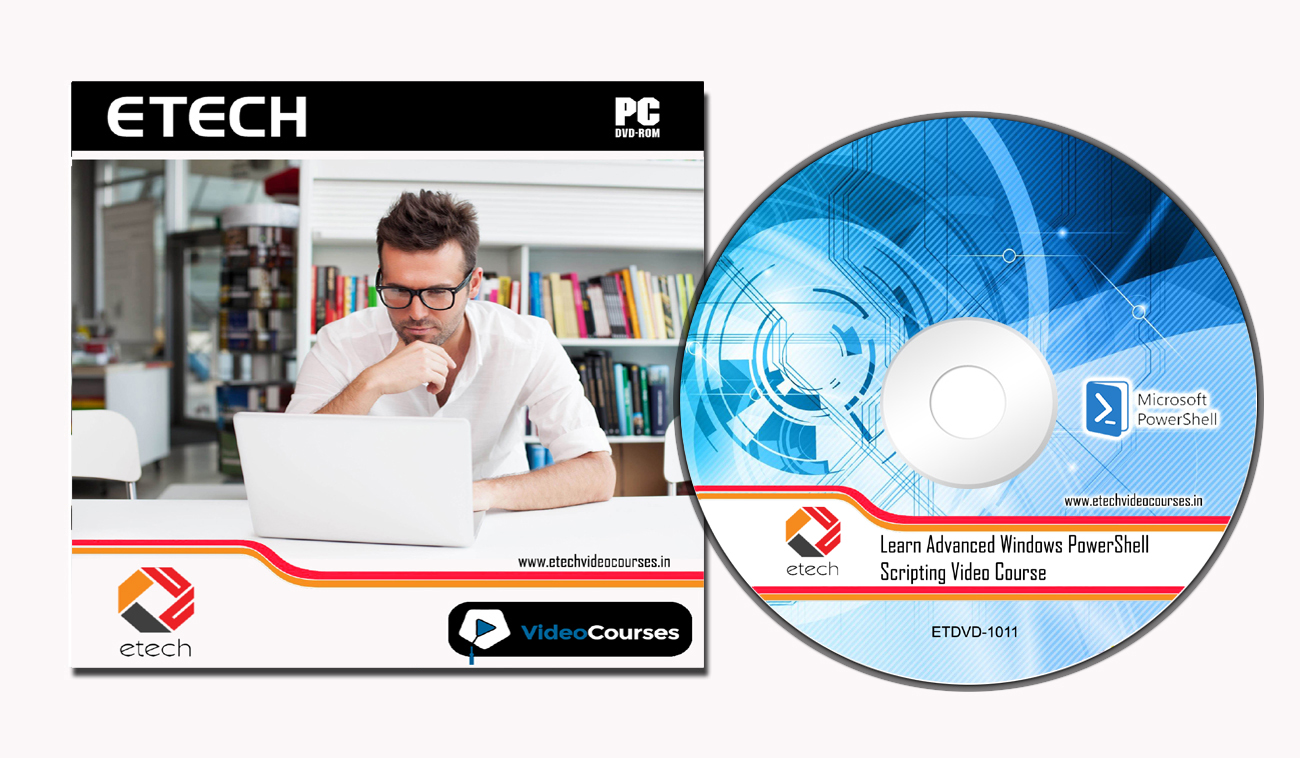
Learn Advanced Windows PowerShell Scripting Video Course DVD


Duration: 6 hours 

Chapter: Introduction

Introduction And About The Author
Preparing To Build A Test Environment
Test Environment - Windows Server 2008 R2
Test Environment - Windows Server 8.1 and Windows Server 2012 R2 - Part 1
Test Environment - Windows Server 8.1 and Windows Server 2012 R2 - Part 2
Test Environment - Windows Server 8.1 and Windows Server 2012 R2 - Part 3
Installing The Domain Controller
How To Access Your Working Files

Chapter: From Scripting To Modules

Scope
Creating Our Starting Script
Moving To A Function
Parameter Validation
Using Child Functions
Creating A Module

Chapter: Making Modules Like A Rock Star

Custom Format Views
Custom Type Extensions
Public And Private Module Members
Error Handling
WMI And CIM - The Keys To Success
.NET - Never Reinvent The Wheel
Building Help Files
Debugging Methods

Chapter: Advanced Objects

Simple Object Creation
Objects From Multiple Sources
Complex Objects And Storage
Accessing Complex Objects
Creating Methods
Creating PowerShell V5 Class Objects - Part 1
Creating PowerShell V5 Class Objects - Part 2

Chapter: The PowerShell Pipeline

Pipeline Overview
ByValue Pipeline
ByPropertyName Pipeline
Filtering Functions

Chapter: PowerShell Remoting

Remoting Overview
Enabling Remoting
One-To-One Remoting
One-To-Many Remoting
Sessions
CIMSessions

Chapter: PowerShell Specific To A Product

Overview
Windows Server
Exchange Server
Chapter: Grabbing Data From The Internet

Finding Sources Of Information
Using External Information
Chapter: Automating Administration

Background Jobs
Scheduled Jobs
Reporting


Chapter: Conclusion

Sunday, 19 November 2017

Check Point Security R71 / 75 CCMSE 156-815.71 Exam Prep Video Course DVD


Duration :  Duration : 10 hours 18 min
Example files : none 
Video format : mp4 
Video : AVC, 1280x720, 16: 9, 30.000 fps, ~ 1359 Kbps 
Audio : AAC, 48.0 KHz, ~ 96.0 Kbps, 2 channels

CCMSE Welcome 00:09:46 2 minutes  
Primary MDS Install 00:30:19 2 minute  
Provider-1 GUI Tools 00:30:22 2 minute 
Noc FW 00:51:55 2 minute  
Backup MDS Server Install 00:30:32 2 minute 
MLM Server Install 00:30:26 2 minute  
HFA Upgrade 00:44:55 2 minute 
Smart Event 00:27:18 2 minute  
Global Policy 00:41:43 2 minute  
Smart Reporter for MDS 00:29:47 2 minute  
P1 command Line 00:40:44 2 minute 
Working with Customers 00:31:48 2 minute
R75.40VS Upgrade 00:44:33 2 minute 
VSX 01:04:22 2 minute  
R75.40VS VSX Conversion 00:20:59 2 minute 
VSX Command Line 00:20:00 2 minute  
MDS Global VPN 00:34:16 2 minute  
MDS Disaster Recovery 00:34:09 2 minute 

CentOS System Administrator Exam Prep Video Course DVD


Duration :  Duration : 09:16 hours
Example files : none 
Video format : mp4 
Video : AVC, 1280x720, 16: 9, 30.000 fps, ~ 1359 Kbps 
Audio : AAC, 48.0 KHz, ~ 96.0 Kbps, 2 channels

1. Intro (00:01:32) 
2. What Makes CentOS Unique? (00:10:59) 
3. Manipulating Text I / O (00:35:53)
4. Access Remote Systems (00:26:59) 
5. Archiving, and Compressing and Chmod'ing, Oh My! (00:33:14)
6. Manipulating Files, Directories, and Links (00:19:36) 
7. How to Read the Manual, CentOS Style (00:23:05)
8. Reboots & Runlevels (00:16:36) 
9. Renicing and Killing Rogue Processes (00:28:58)
10. Network Services and Their Log Files (00:24:46) 
11. Partitions & Logical Volumes (00:31:10) 
12. Filesystems & Mounting Them (00:30:26) 
13. Auto-mounting Local, Network, and Encrypted Filesystems (00:18:27) 
14. Chmod'ing, Chown'ing, and Chgrp'ing, Oh My (00:24:16)
15. Special Permissions - SetUID, SetGID, and Sticky Bits (00:32:17) 
16. Managing ACL's (00:19:08)
17. Local Users & Groups (00:23:19) 
18. Configuring the Network (00:15:19)
19. Kickstart Your Install (00:20:54) 
20. Hosting Virtual Machines (00:11:00)
21. Package Management (00:25:42) 
22. Setting up Web & FTP Services (00:14:38)
23. Cron & Time Services (00:21:25) 
24. Configuring the System Firewall (00:10:28)
25. SELinux - What Is It? (00:21:39) 
26. SELinux - Configuration and Troubleshooting (00:14:55) 

Cisco CCNP Routing / Switching 300-135 TSHOOT Video Course DVD


Duration :  Duration : 10 hours
Example files : none 
Video format : mp4 
Video : AVC, 1280x720, 16: 9, 30.000 fps, ~ 1359 Kbps 
Audio : AAC, 48.0 KHz, ~ 96.0 Kbps, 2 channels

1. Welcome to TSHOOT: Course Overview (7 min) 
2. Foundations: Cultivating a Troubleshooting Mindset (17 min) 
3. Foundations: Troubleshooting Methods (16 min) 
4. Foundations: Preventing Troubleshooting with Proactive Network Maintenance (17 min) 
5. Foundations: Building a Troubleshooting Laptop (16 min) 
6. Foundations: Built-in IOS Troubleshooting Tools (23 min) 
7. Foundations: Switchport Monitoring with SPAN and RSPAN (5 min) 
8. Foundations: Switch Performance Troubleshooting (20 min) 
9 . Foundations: Router Performance Troubleshooting (16 min) 
10. Switch: Troubleshooting Trunks and VTP (12 min) 
11. Switch: Troubleshooting VLANs (22 min) 
12. Switch: Troubleshooting Spanning Tree Protocol (19 min)
13. Switch: Troubleshooting SVIs and Routed Ports (12 min) 
14. Switch: Troubleshooting L2 and L3 Etherchannel (20 min) 
15. Switch: Troubleshooting HSRP, VRRP, GLBP (21 min) 
16. Switch: Troubleshooting Port Security (7 min ) 
17. Switch: Troubleshooting Spoofing Security Features (8 min) 
18. Switch: Troubleshooting Private VLANs (9 min) 
19. Route: Troubleshooting IPv4 Addressing and DHCP (12 min) 
20. Route: Troubleshooting NAT (12 min) 
21. Route : Troubleshooting IPv6 Addressing (17 min) 
22. Route: Troubleshooting IPv4 Access Lists (13 min) 
23. Route: Troubleshooting IPv6 Access Lists (9 min) 
24. Route: Troubleshooting Prefix Lists (9 min)
25. Route: Troubleshooting Static Routes and GRE Tunnels (17 min) 
26. Route: Troubleshooting RIPv2 (10 min) 
27. Route: Troubleshooting RIPng (9 min) 
28. Route: Troubleshooting EIGRP (18 min) 
29. Route: Troubleshooting EIGRPv6 (8 min) 
30. Route: Troubleshooting OSPF (19 min) 
31. Route: Troubleshooting OSPFv3 (10 min) 
32. Route: Troubleshooting Route Maps and PBR (16 min) 
33. Route: Troubleshooting Route Redistribution (13 min) 
34. Route: Troubleshooting BGP Neighbor Adjacencies (13 min) 
35. Route: Troubleshooting BGP Routes (13 min) 
36. Management: Troubleshooting Syslog, SNMP, and NTP (8 min) 
37. Management: Troubleshooting IP SLA, SPAN, and RSPAN (19 min)
38. Management: Troubleshooting Telnet and SSH (6 min) 
39. Management: Troubleshooting AAA (7 min) 
40. Espresso Roasting and Other Exam Study Tactics (7 min)

Agile Certified Practitioner (PMI-ACP) Video Course DVD


Duration :  Duration : 23:16 hours
Example files : none 
Video format : mp4 
Video : AVC, 1280x720, 16: 9, 30.000 fps, ~ 1359 Kbps 
Audio : AAC, 48.0 KHz, ~ 96.0 Kbps, 2 channels

1. PMI - ACP Overview (00:21:38) 
2. PMI - ACP Exam (00:32:15) 
3. Agile Manifesto (00:32:06) 
4. Agile Communications (00:34:07) 
5. Planning, Monitoring and Adapting 
6. Agile Estimating (00:36:37) 
7. Agile Analysis and Design (00:41:58) 
8. Product Quality (00:31:32) 
10. Value Based on Prioritization (00:29:58) 
11. Risk Management (00:25:45) 
12. Metrics (00:42:05) 
13. Value Stream Analysis (00:34:05) 
14. Knowledge and Skills Level 1 Part 1 (00:35:56) 
15. Knowledge and Skills Level 1 Part 2 (00:36:06) 
16. Knowledge and Skills Level 2 (00:33:16) 
17. Knowledge and Skills Level 3 (00:41: 34)
Domain I 18. - Define Positive Value (00:32:34) 
19. Domain I - Incremental Delivery (00:32:57) 
20. Domain I - Avoid Potential Downsides (00:30:59) 
21. Domain I - Prioritization (00:29:14) 
22. Domain II - Stakeholder Needs (00:31:44) 
23. Domain II - Stakeholder Involvement (00:32:28) 
24. Domain II - Stakeholder Expectations (00:33:23) 
25 Domain III - Team Formation (00:32:43) 
26. Domain III - Team Empowerment (00:35:05) 
27. Domain III - Team Collaboration (00:30:20) 
28. Domain III - Team Commitment ( 00:32:43) : 30: 48) 
29. Domain IV - Levels of Planning (00:35:57) 
30. Domain IV - Adaptation (00:20:26) 
31. Domain IV - Estimation (00:30:25)
32. Domain IV - Velocity / Throughput / Cycle Time (00:29:29) 
33. Domain V - Problem Detection and Resolution (00:31:31) 
34. Domain VI - Continuous Improvement (00:33:39) 
35. Scrum Part I (00:29:51) 
36. Scrum Part II (00:33:41) 
37. Extreme Programming (XP) Part I (00:36:27) 
38. Extreme Programming (XP) Part 2 (00: 32:57) 
39. Kanban (00:30:41) 
40. Other Agile Methods (00:25:59) 
41. Day of the Exam (00:37:11) 
42. PMI-ACP Review (00:49: 02)

Citrix NetScaler 10.5 1Y0-253 Video Course DVD


Duration :  3hours
Example files : none 
Video format : mp4 
Video : AVC, 1280x720, 16: 9, 30.000 fps, ~ 1359 Kbps 
Audio : AAC, 48.0 KHz, ~ 96.0 Kbps, 2 channels

1. Welcome to NetScaler (2 min) 
2. What's a NetScaler? (4 min) 
3. Deploying NetScaler in VMware (6 min) 
4. Applying an IP and License (7 min) 
5. Upgrading a NetScaler (15 min) 
6. NTP and Saving Configs (8 min) 
7. LB Traffic Flow 10 min) 
8. Static Routes (11 min) 
9. High Availability (13 min) 
10. Building Blocks for LB (6 min) 
11. Implementing LB (15 min) 
12. Using Multiple Subnets (7 min) 
13. Custom Monitors (9 min) 
14. RGB Pre-built Web Servers (4 min) 
15. Weights and Persistence (8 min) 
16. SSL / TLS Concepts (9 min) 
17. Install a Signed CA Certificate (11 min) 
18. Implement SSL Offload (13 min)
19. Wildcard Certificates (10 min) 
20. Streamlined LB Configuration (5 min) 
21. Policy Fundamentals (15 min) 
22. LDAP Authentication for System Users (14 min) 
23. Xen Monitors (5 min) 
24. Intro to NS Gateway (12 min) 
25. NS Gateway Policies (11 min) 
26. Gateway LDAP Authentication (7 min) 
27. Gateway User Authorization (9 min) 
28. NS Gateway Split Tunneling (9 min) 
29. LB Storefront Demonstration (16 min) 
30. Gateway + Storefront Integration (17 min) 
31. Content Switching (9 min) 
32. GSLB (7 min) 
33. Exam Preparation (6 min)

Cisco CCNP Security 300-208 SISAS Video Course DVD


Duration : 05:32 Hours
Video : MPEG-4, 1280x720 (16: 9), 15,000 fps, 500 kbps 
Audio : AAC, 22.05 kHz, 2 channels


1. Course Introduction (3 min) 
2. ISE, ISE, Baby (24 min) 
3. 802.1x Wired (40 min) 
4. CA Certificates (19 min) 
5. 802.1X MAB (27 min) 
6. AnyConnect Supplicant (18 min)
7. ISE and AD (31 min) 
8. Authorization Profiles (36 min) 
9. Web-Based User Authentication (31 min)
10. What is Posture? (7 min) 
11. Preparing ISE for NAC Provisioning (6 min) 
12. Provisioning NAC agents from ISE (13 min)
13. Posture Compliance (13 min) 
14. Profiling Endpoints (12 min) 
15. What are MACsec and TrustSec? (6 min) 
16. Implement TrustSec (10 min)
17. ISE Personas (4 min) 
18. Sponsor Portal Concepts (5 min) 
19. Implement an ISE Sponsor Portal (7 min) 
20. BYOD (4 min) 
21. Final Thoughts for SISAS (3 min) 

Cisco CCNA Data Center 640-916 DCICT Video Course DVD


Duration : 07:15 Hours
Example files : NO
Video format : MP4 
Video : AVC, 1280x720, 16: 9, 30fps 
Audio : AAC, 38 kHz, 128 kb / s


01 The Course Introduction. 
02 The Cisco Data Center Architecture. 
03 Meet the Nexus Family !. 
04 Meet the MDS Family !. 
05 Monitoring the Nexus. 
06 Exploring vPCs and Their Verification. 
07 Exploring FabricPath (TRILL). 
08 You Down with OTV. 
09 Virtualizing The Network Device. 
10 Virtualizing Storage. 
11 Virtualizing Servers. 
12 Introducing the Nexus 1000V. 
13 Verifying the Nexus 1000V. 
14 Storage Options. 
15 Fiber Channel and More Fiber Channel. 
16 Verifying Fiber Channel. 
17 FCoE and DCB. 
18 Connecting FCoE. 
19 The Nexus 2232 Fabric Extender. 
20 The UCS B-Series Family.
21 The UCS C-Series. 
22 Connecting B-Series Servers. 
23 UCS Management. 
24 Pools Policies and Profiles. 
25 Cisco Load Balancing.

Cisco CCNA Collaboration 210-065 CIVND2 Video Course DVD


Duration : 6.30 hrs
Example files : present 
Video format : MP4 
Video : AVC, 1280x720, 16: 9, 30fps 
Audio : AAC, 38 kHz, 128 kb / s


1. Cisco CCNA Collaboration: Welcome to CIVND2 (3 min)
2. Cisco Collaboration Overview: Legacy Conferencing and the New World Order (8 min)
3. Cisco Collaboration Overview: Assembling Collaboration Puzzle Pieces (15 min)
4. Cisco Collaboration Overview: Beyond the Promo — Other Endpoints (19 min)
5. Cisco Collaboration Overview: Clarifying VCS and VCS Expressway (8 min)
6. Video Phone Communication: Understanding endpoint registration (12 min)
7. Video Phone Communication: The protocols that make things happen (6 min)
8. Video Phone Configuration: Registering endpoints — preparing the infrastructure (13 min)
9. Video Phone Communication: Getting familiar with CUCM (11 min)
10. Video Phone Communication: Getting familiar with VCS (16 min)
11. Video Phone Communication: Registering DX-650 endpoints (13 min)
12. Video Phone Communication: Understanding the place of Jabber (8 min)
13. Video Phone Communication: Registering a Jabber client (8 min)
14. Jabber and IP Phone Operation: Common registration issues (16 min)
15. Jabber and IP Phone Operation: Common calling issues (6 min)
16. Cisco TC Software: TC software familiarization (11 min)
17. Cisco TC Software: Command Line Interface (4 min)
18. Cisco TC Software: Registering an EX90 Telepresence Endpoint with CUCM (10 min)
19. Cisco TC Software: Registering an EX90 Telepresence Endpoint with VCS (15 min)
20. Cisco TC Software: Adding some Collaboration bling (7 min)
21. Cisco TC Software: A little more Telepresence gloss (10 min)
22. Video Conferencing: Integrated TC Multisite Conferencing (10 min)
23. Video Conferencing: Multiway Calls — Registering the MCU with VCS (13 min)
24. Video Conferencing: Making MCU-Powered Multiway Calls (18 min)
25. Video Conferencing: TMS and WebEX (7 min)
26. Video Conferencing: Getting familiar with TMS navigation (11 min)
27. Video Conferencing: Managing devices and conference calls with TMS (8 min)
28. Telepresence Lab: Scenario overview (20 min)
29. Telepresence Lab: Room Design (11 min)
30. Telepresence Lab: Lighting, Sound, and Power (12 min)
31. Telepresence Lab: Powering on the Servers (10 min)
32. Telepresence Lab: Network Foundations (9 min)
33. Telepresence Lab: Registering 9971 Phones to CUCM (10 min)
34. Telepresence Lab: Registering DX-650 Phone to CUCM (4 min)
35. Telepresence Lab: Registering the TC Endpoint to VCS (9 min)
36. Telepresence Lab: Registering Jabber Video Client (7 min)
37. Telepresence Lab: Connecting CUCM and VCS (14 min)
38. Telepresence Lab: Adding MCU Conference Resources (15 min)
39. Telepresence Lab: Integrating TMS (14 min)